October 26, 2026 · Updated November 3, 2026
Seedance vs Kling vs Veo: which video model to pick
Seedance vs Kling vs Veo, sorted by job. See what each family can do on genvi, including clip length, sound and references, and which to pick.

Seedance vs Kling vs Veo is the question we hear most from people who want to make AI video. These are three families of video models, and genvi offers versions of each. There is no single winner. The right one depends on the job, so this guide sorts them by what you want to make.
The short answer
- You want long clips, or to steer with reference pictures: pick Seedance. Seedance 2.5 makes a single clip of up to 30 seconds and takes up to 29 reference pictures.
- You want cinematic motion with sound, and a choice of exact length: pick Kling Video v3 Pro, or v3 Standard to spend less.
- You want a 4K clip: pick Kling Video v3 4K.
- You were planning to use Veo 3.1: read the next section first.
First, a note about Veo
Google retired Veo 3.1 on 22 October 2026. genvi still lists Veo 3.1 Lite, Fast and Standard, but the model list marks them as retired. If you run one, a different model does the work: Grok Imagine Video 1.5 Lite from xAI. So a Veo run on genvi is no longer a Veo clip.
Because of that, this guide compares Seedance and Kling in full and treats Veo as what it was and what to use instead. Our Veo 3.1 guide goes into more detail.
The models side by side
These numbers come from the genvi model list, as genvi runs them. Another website that offers the same family may have different settings.
| Model | Clip length | Picture size | Reference pictures | Sound |
|---|---|---|---|---|
| Seedance 2.0 Fast | 4 to 15 seconds | 480p or 720p | Up to 8 | Not listed |
| Seedance 2.0 Pro | 4 to 15 seconds | 480p or 720p | Up to 8 | Not listed |
| Seedance 2.5 | 4 to 30 seconds | 480p or 720p | Up to 29 | Not listed |
| Kling Video v3 Pro | 3 to 15 seconds | Fixed, no size menu | No | Yes, native audio |
| Kling Video v3 Standard | 3 to 15 seconds | Fixed, no size menu | No | Yes, native audio |
| Kling Video v3 4K | 5 or 10 seconds | Always 4K | No | Not listed |
| Veo 3.1 (retired) | 4, 6 or 8 seconds | 720p, 1080p or 4K | Up to 3 (Fast, Standard) | Yes |
A reference picture is a photo that you give the model so it can copy a face, an object or a look. Native audio means the sound is made along with the picture.
Pick Seedance when...
- you need a clip longer than 15 seconds. Seedance 2.5 goes up to 30 in a single clip.
- you have pictures of a character, product or place and want the clip to follow them.
- you want a start picture and an end picture, and a clip that moves from one to the other.
- you want to test cheaply first. Seedance 2.0 Fast is the quicker tier of the same family.
Our Seedance prompts guide shows how to write for it.
Pick Kling when...
- you want the picture and the sound to come out together in one step.
- you want to choose the length to the second, anywhere from 3 to 15 seconds.
- you want full 4K size (v3 4K).
- you need the same character across clips and are happy to use up to 4 reference pictures (Kling O3 Pro Reference).
Here is a frame from a Kling clip made by a genvi house account and shared on Explore.

Kling Video v2.6 Pro. Prompt: "a whale gliding through clouds above a city, cinematic, highly detailed, dramatic lighting".
Explore does not yet hold a Seedance or Veo clip from our team, so we show a Kling clip here. We have no side by side pictures to offer. We would rather show you real clips than invent a comparison. We do not claim one model looks better than another. The honest way to judge is to run your own prompt on each, which is cheap to do (see below). Our Kling guide covers the family in detail.
What Veo was good for, and what to use now
Veo 3.1 gave you sound with the picture and offered up to 4K on its Standard tier. If those were your reasons for choosing it, Kling Video v3 Pro and v3 Standard give you sound. Kling Video v3 4K gives you 4K. If you want a quick low-cost clip with sound, Grok Imagine Video 1.5 Lite is the model that now runs your Veo requests. It makes clips of 1 to 15 seconds at 480p, 720p or 1080p. It takes one start picture, the first frame of the clip.
What they cost
Video is priced per second, so length is what changes the price most. Every model has its own rate. The rate and the total for your run are shown in the model list. They are also shown on the node, the box you add to the canvas for each step, before you press run. Some models cost more at higher sizes, and the model list labels that, for example "1080p · 2x". We do not print credit numbers here because they can change.
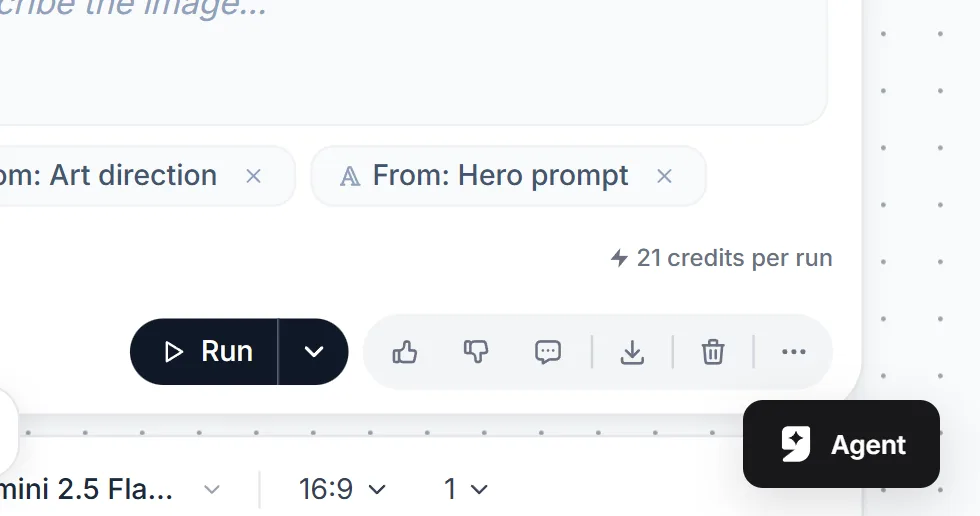
The cost of a run is shown on the node before you run it.
Free accounts get 150 credits each month, enough for several short tests. See what AI credits are for how they work.
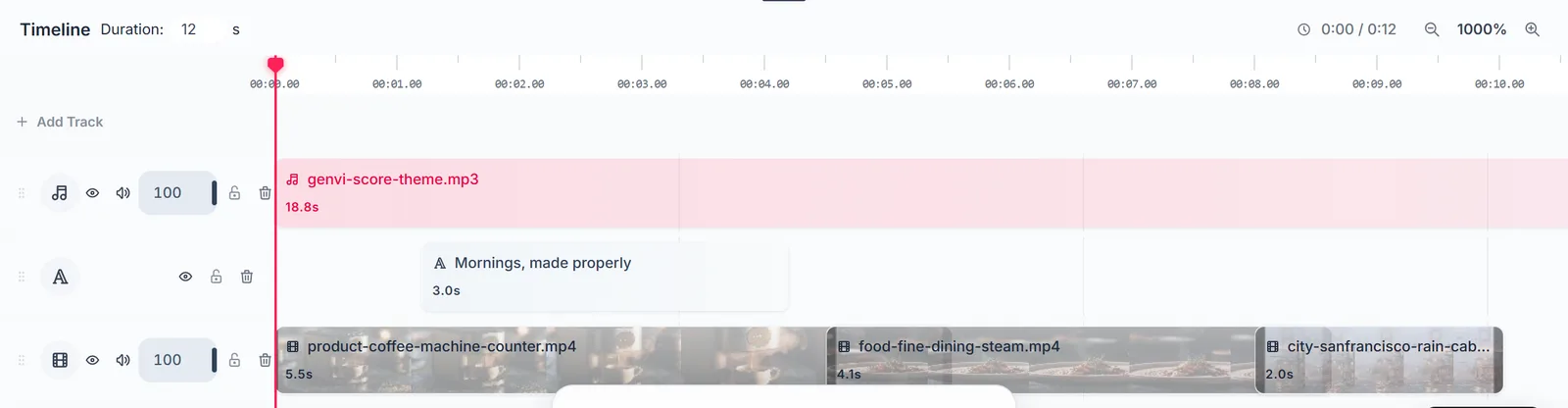
Whichever model you pick, the clips can be joined on the Video Composer timeline.
How to test the three on your own idea
- Write one short prompt. One subject, one action, one camera move.
- Run it for 5 seconds on Seedance 2.0 Fast and on Kling Video v3 Standard.
- Compare the two clips. Look at motion, faces and how well it followed your words.
- Only then run the dearer tier of the one you liked, or a longer version.
Use the same words each time and change one thing only. How to write AI video prompts explains the method.
Questions people ask
Is Veo still on genvi?
It is still listed, marked as retired. Google switched it off on 22 October 2026, and runs are carried out by Grok Imagine Video 1.5 Lite.
Which is cheapest?
It changes, so check the model list. As a rule, the fast and standard tiers cost less per second than the pro tiers, and shorter clips cost less than long ones.
Which is best for a talking character?
Models with native audio, like Kling Video v3 Pro, make sound together with the picture. For a face that speaks your own words, genvi also has separate lip sync models, which match a mouth to a voice track.
Can I use my own account with the provider?
Yes. If you save your own API key for a provider in Settings, those models appear again under Your Keys. An API key is a password that lets genvi use your account with that provider. You then pay the provider directly, not with credits.