October 7, 2026 · Updated November 3, 2026
What are AI credits and how do they work?
AI credits explained for beginners: where they come from, what costs credits, what is free, how plans and top-ups work, and how to spend fewer.
AI credits are the points you spend to make things on genvi. One credit is not one picture or one video. Each model has its own price, so a small image costs a few credits and a long video costs many more. This guide explains AI credits in plain words: where they come from, what uses them, and how to make them last.
AI credits in one minute
Think of credits like arcade tokens. You get a pile each month, and each thing you make takes some of them. A cheap, quick model takes few. A big video model takes more. When you press run, genvi has already shown you the price, so you never get a surprise bill.
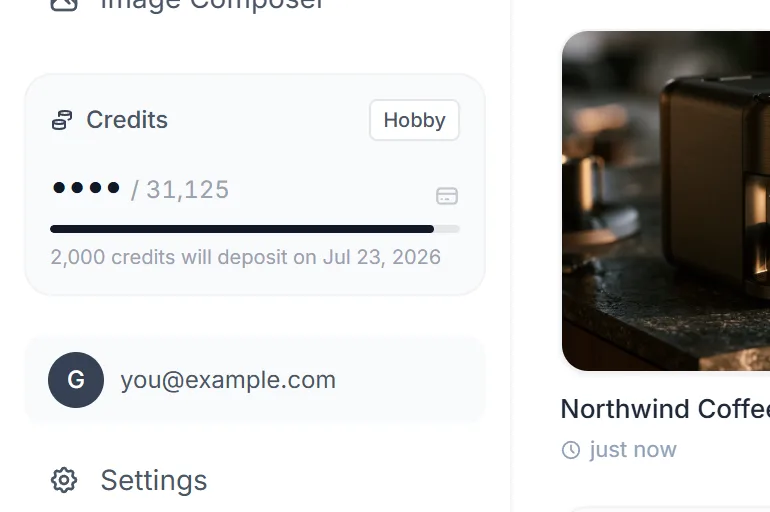
The credits card: your plan, what is left this cycle and when the next deposit lands.
Where credits come from
- The free plan. Every account gets 150 credits a month. They renew on the day you signed up, not on the first of the month.
- A paid plan. A plan gives you more credits each month (see the table below).
- Top-ups. Need more? Buy a pack on the Billing page.
- Promo codes. A code can add credits to your account.
| Plan | Credits each month | Price per month |
|---|---|---|
| Free | 150 | $0 |
| Hobby | 2,000 | $5.99 |
| Indie | 5,000 | $14.99 |
| Pro | 20,000 | $49.99 |
Top-up packs are 500 credits for $1.99, 2,000 for $6.99, 6,000 for $16.99 and 20,000 for $49.99. The bigger the pack, the less each credit costs. For the full plan story, read credits, plans and what things cost.
What uses credits
Different kinds of work are priced in different ways. Each step on the canvas is a node, one box that does one job, and each node shows its price before it runs.
- Images, speech and 3D models: a set price for each run. Music is priced per clip, or per minute for some models.
- Video: a price for each second of the clip. A 6 second clip costs six times the per-second price. Higher sizes can cost more, and the model list labels that, for example "1080p · 2x".
- Text and chat: a small flat price for each answer.
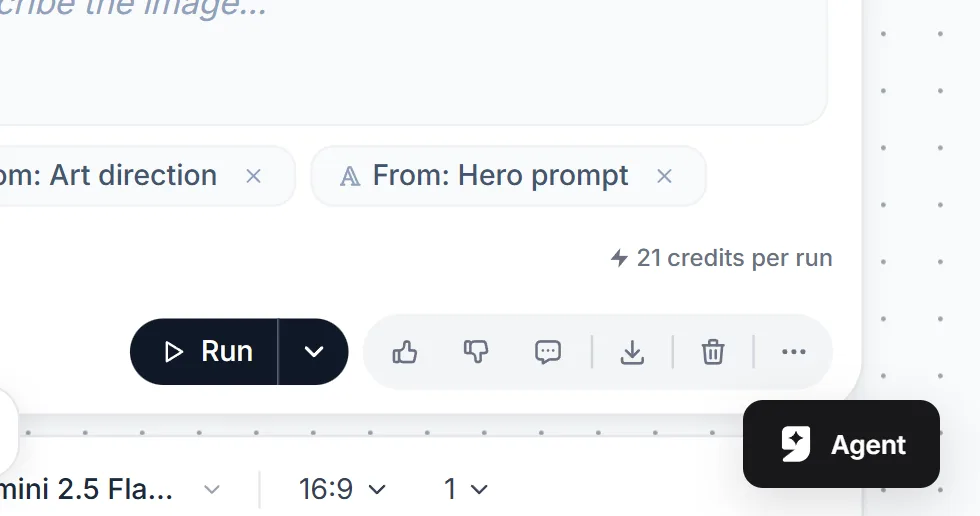
Every generation node prints the cost of one run before you run it.
A worked example
Say you make a 6 second video on a model that costs 10 credits for each second. The clip costs 60 credits. Make the same clip at 10 seconds and it costs 100. Those numbers are only an example. The model you pick shows its real price on the node. On the free plan, 150 credits would cover two such 6 second clips, with a few left over, plus plenty of cheap images.
If you plan a bigger project, add up the steps before you start. A short film might need a handful of images, some video clips and a voice track. Each step shows its price, so the total is easy to work out.
What is free
- Adding text, images, videos or uploads to a project.
- Looking at what you made, changing its style, and downloading it.
- Anything that does not call an AI model.
Why one credit is not one picture
A credit pays for a share of the cost of running a model. Models differ a lot. A small image model is cheap to run, and a long 4K video model is not. genvi turns each model's cost into credits with one formula, so every model is priced the same fair way. If you like the detail, our post pricing 120 models with one formula explains it.
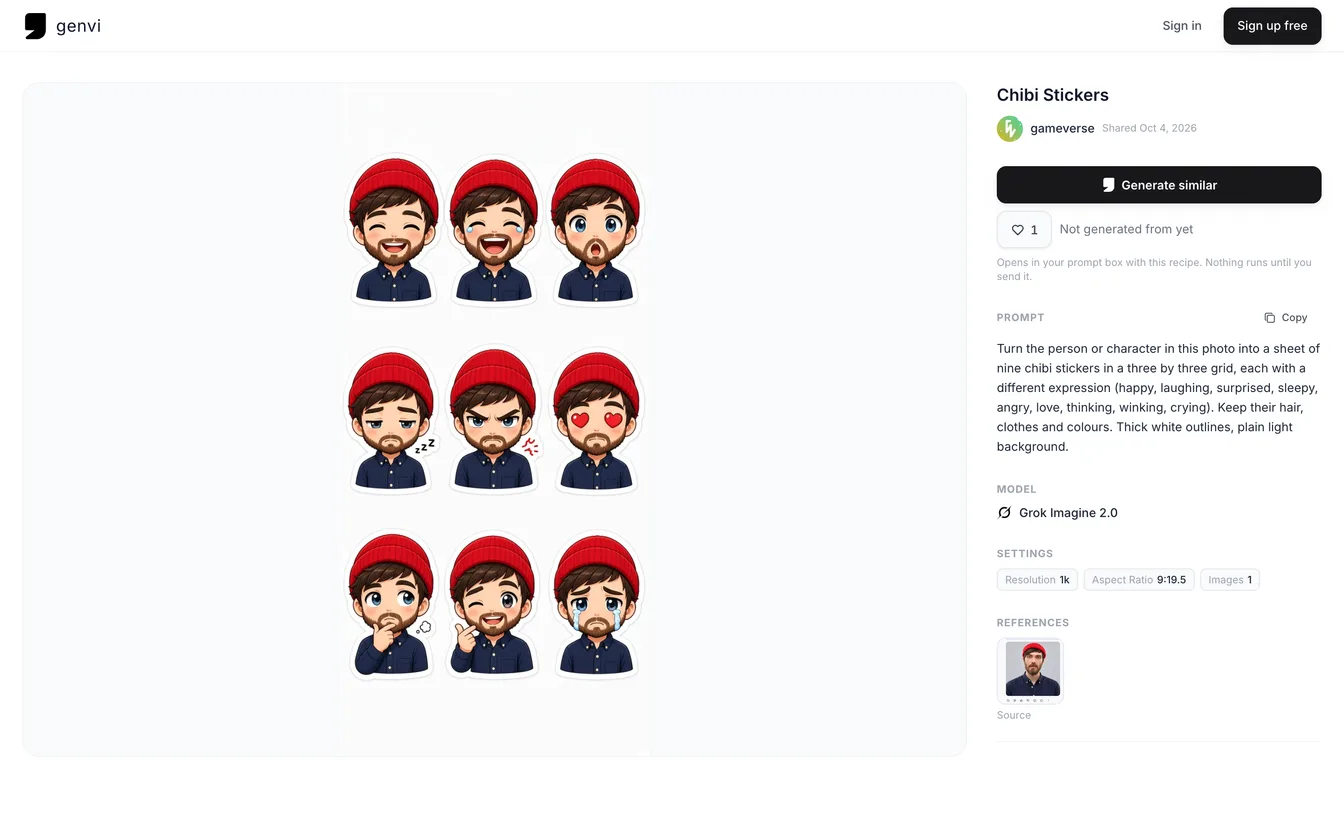
An Explore post page lists the prompt, the model and the settings that made a result.
What happens if a run fails
You are only charged for work that finishes. If a model fails or errors, the credits are returned right away. If you cancel a run and it finishes anyway, the credits are returned too, because you do not get that output.
How long credits last
- Monthly credits from your plan or the free allowance roll over for up to 90 days.
- Top-up credits never expire.
- Order of use: monthly credits are spent first, so the credits you bought are the last to go.
When you run out
If a run needs more credits than you have, it stops with a message on the node. The other steps in your project keep running if they can pay. Add a top-up or wait for your renewal, then run the stopped step again.
Ways to spend fewer credits
- Draft on a fast model. Test an idea on a quick tier, then run the best prompt on a stronger model.
- Keep videos short while testing. Length is a straight multiplier.
- Check the price first. It is on the node and in the model list.
- Use your own key. A key is a password that lets genvi use your account with a provider such as Google or xAI. If you add one in Settings, that provider's models appear a second time under Your Keys. Those runs use no credits, and you pay the provider directly.
Do teams share credits?
A workspace is a shared space for a team. Credits are shared only if the owner of the workspace switches that on. When it is on, work in that workspace is charged to the owner. When it is off, everyone spends their own credits.
Questions people ask
Do free credits expire?
Your free 150 renew each month on your signup date. Unused monthly credits can roll over for up to 90 days.
Where can I see my balance?
In the credits badge on the canvas toolbar and on your dashboard.
Can I get a refund on credits I bought?
Top-ups never expire. For a question about a payment or refund, contact support from your account.
Why did the price change?
Prices follow what the model companies charge genvi, so a rate can change without an app update. The price on the node before you run is always the one that applies.