iPhone, iPad and Android
genvi for iPhone and Android
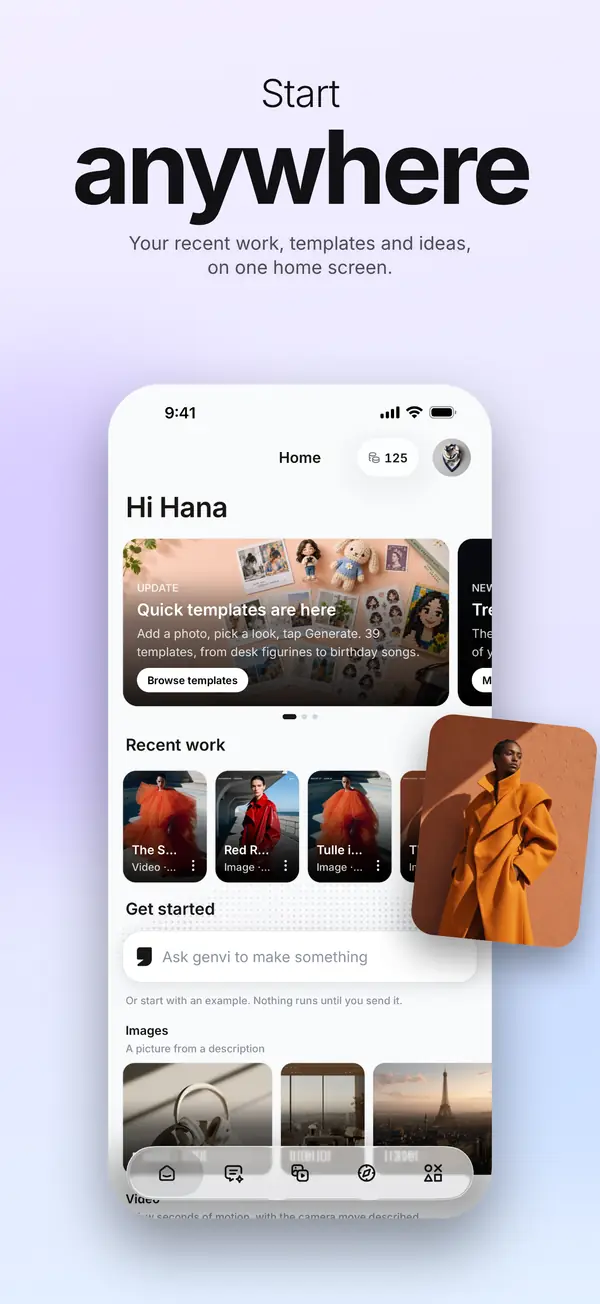
The genvi app puts chat, the Image and Video Composers, Genvi Agent, your Library and Explore on your phone. It is the same account and the same credits as genvi.co, so work moves between the two.
iOS 16.4 or later, on iPhone and iPad. Android 7.0 or later. Free to download.
In the app
What you can do on your phone
Five tabs: Home, Chat, Image, Video and Studios. Each one does a single job.
Chat that makes things
Ask for a picture, a video clip, a song or a voice-over and it comes back in the conversation. Reply to change it.
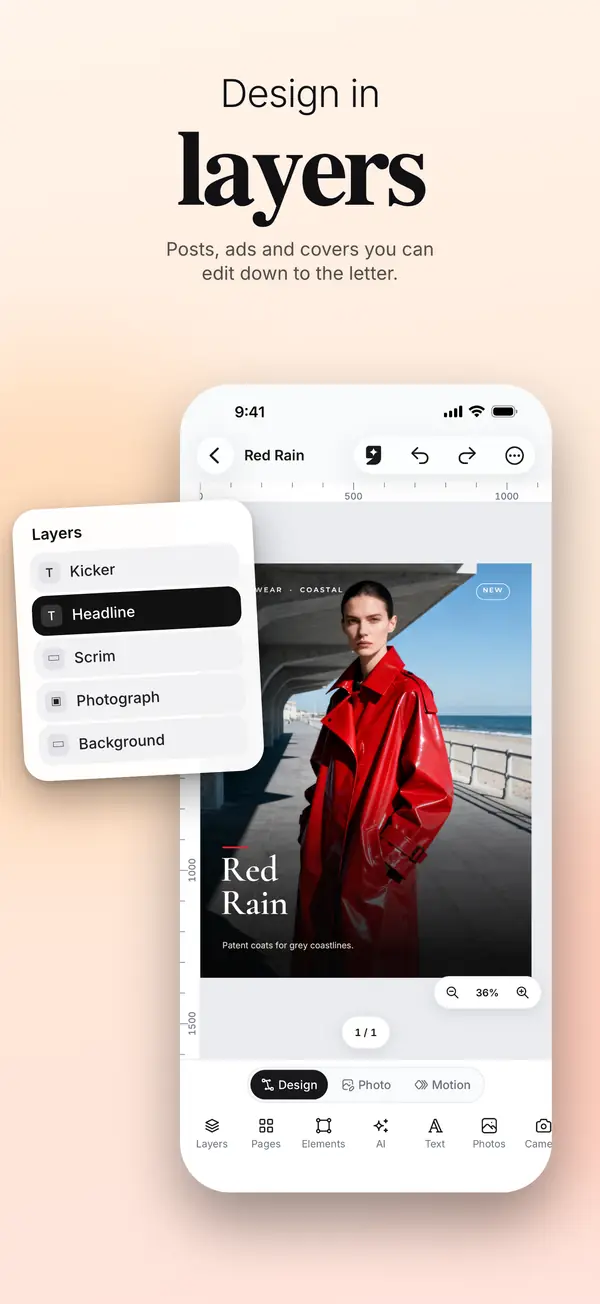
Image Composer
Layers, text, photos and masks, with generation one tap away. Posts, ads and covers you can edit down to the letter.
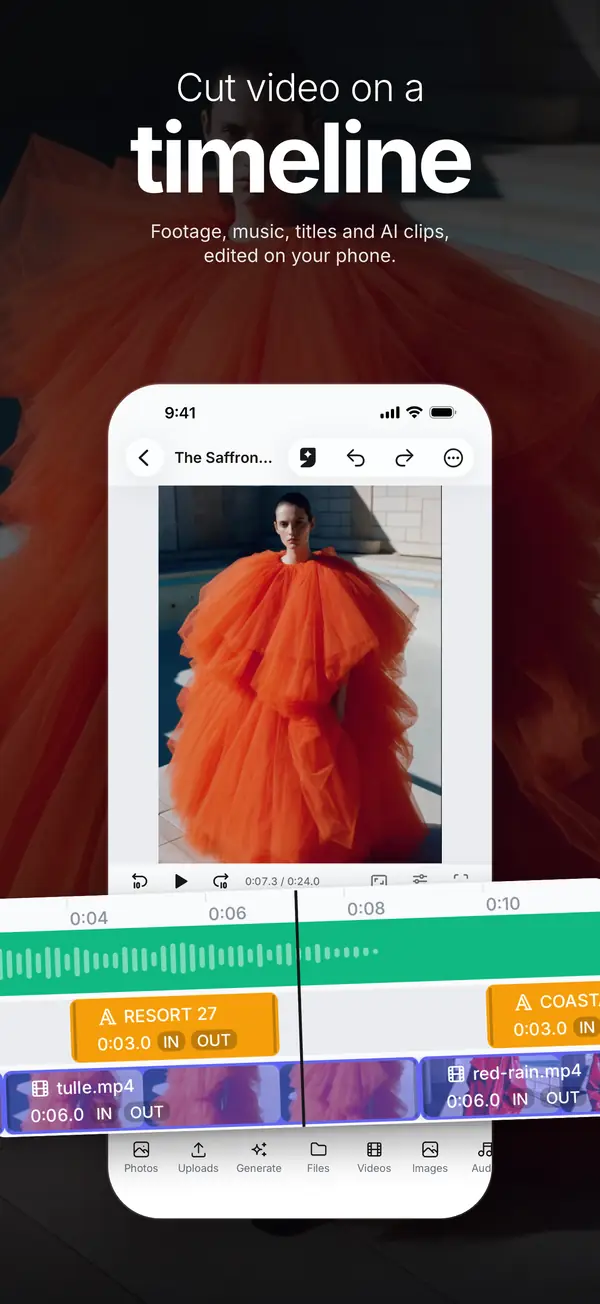
Video Composer
A timeline for footage, music, titles and generated clips, trimmed and arranged on your phone.
Genvi Agent
Say what you want done in a composer and the agent does it with the same tools you have. By default it asks before anything that spends credits.
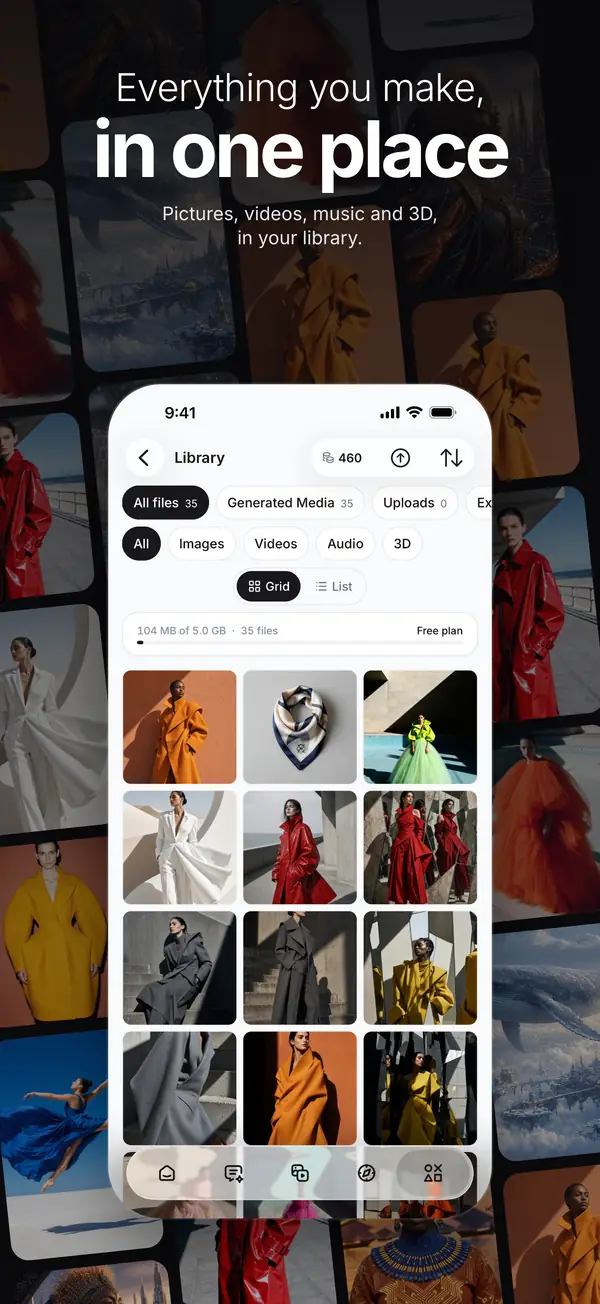
Library
Everything you made or uploaded, on the phone and on the web, with your saved references beside it.
Explore
See what people make on genvi with the prompt and settings behind each post, and start your own version in one tap.
One account, everywhere
Projects, chats, your Library and your references sync between the app and genvi.co. Start an image on the phone and finish it at a desk, or the other way round.
One credit balance
Plans and credit packs in the app go through the App Store and Google Play. Web subscribers keep their plan, in the app as well, and manage it on genvi.co.
Questions
Before you install
- Is it the same account as genvi.co?
- Yes. Sign in with the email or Google account you use on genvi.co, or with Apple on iPhone and iPad. Your projects, chats, Library and references are already there, and anything you start on the phone opens on the web.
- Are my credits shared?
- Yes. There is one balance per account. Credits bought on the web spend in the app, credits bought in the app spend on the web, and each generation costs the same in both.
- How do I buy a plan or credits in the app?
- Plans and credit packs in the app are sold through the App Store and Google Play. If you already subscribe on genvi.co, your plan carries over to the app as it is, and you keep managing it on genvi.co.
- Where do I manage or cancel a subscription?
- Where you bought it. On iPhone, open Settings, tap your name, then Subscriptions. On Android, open Google Play, tap your profile, then Payments and subscriptions. A subscription bought on genvi.co is managed under Billing on genvi.co.
- Which studios are in the app?
- Chat, the Image Composer and the Video Composer, plus Library, References, Tools and Explore. Node Studio, 3D Studio and the Whiteboard open on genvi.co, where a bigger screen suits them.
- How do I delete my account?
- In the app, go to Account, then Your data, then Delete my account. You can also do it on the web. What is deleted, and when, is explained at genvi.co/delete-account.
Something not working? Contact support or read the app guide.