October 17, 2026 · Updated November 3, 2026
genvi vs Figma Weave: a Figma Weave alternative
genvi vs Figma Weave (formerly Weavy) in plain words: how each works, what it can make and what it costs. Weave prices as of November 2026.

Weavy joined Figma and is now Figma Weave. It lets you build image, video, 3D and audio work by connecting steps on a canvas. If you are looking at it, or searching for a Figma Weave alternative. This genvi vs Figma Weave comparison puts the two side by side. A node workflow is a chart of connected steps, where each step makes something and passes it on. Both tools have one. They differ in what surrounds it. Every Weave price below comes from its own pricing page.
Who each one is for
Figma Weave is for designers and teams who think in canvases and may want a node workspace close to Figma. Its pricing page says a Figma canvas link is in progress, and that Figma credits are separate from Weave credits. Credits are what you spend each time you make something.
genvi is for people who want node workflows plus the editors that come after them. You get a video editor with a timeline, a layered image editor, a whiteboard, a 3D studio and chat. It also has an assistant that can build and run workflows for you.
Feature comparison
| genvi | Figma Weave | |
|---|---|---|
| Node workflow canvas | Yes, about 30 types of step | Yes, the core product |
| Models | Models from several providers | Third-party image, video, 3D and audio models |
| 3D | Yes, 3D Studio: text or image to 3D, textures and rigging | Yes, 3D models are listed |
| Audio | Speech, sound effects and music | Yes, audio models are listed |
| API | API keys, /api/v1 and an MCP server for all users | Enterprise only (workflows via API) |
| Commercial license on Free | Check the plan page | Yes, listed on the Free plan |
Pricing
Weave prices are in US dollars, as of November 2026, from weave.figma.com/pricing.
| Weave plan | Price | Credits |
|---|---|---|
| Free | $0 | 150 a month (about 375 images), 5 workflows |
| Starter | $24 a month billed annually ($202 a year) | 1,500 |
| Professional | $45 a month ($378 a year) | 4,000, 3-month rollover |
| Max | $100 a month ($840 a year) | 10,000, 4-month rollover |
| Team | $42 per user a month ($504 a year) | 4,500 per user, shared pool |
| Enterprise | Custom | Own API keys, workflows via API |
Top-ups are $10 per 1,000 to 1,200 credits and last 12 months.
genvi's plans are Free (150 credits), Hobby ($5.99 a month, 2,000 credits), Indie ($14.99, 5,000) and Pro ($49.99, 20,000). Check the live prices in the pricing section. Credits mean different things at different companies, so test the job you run most often before you compare.
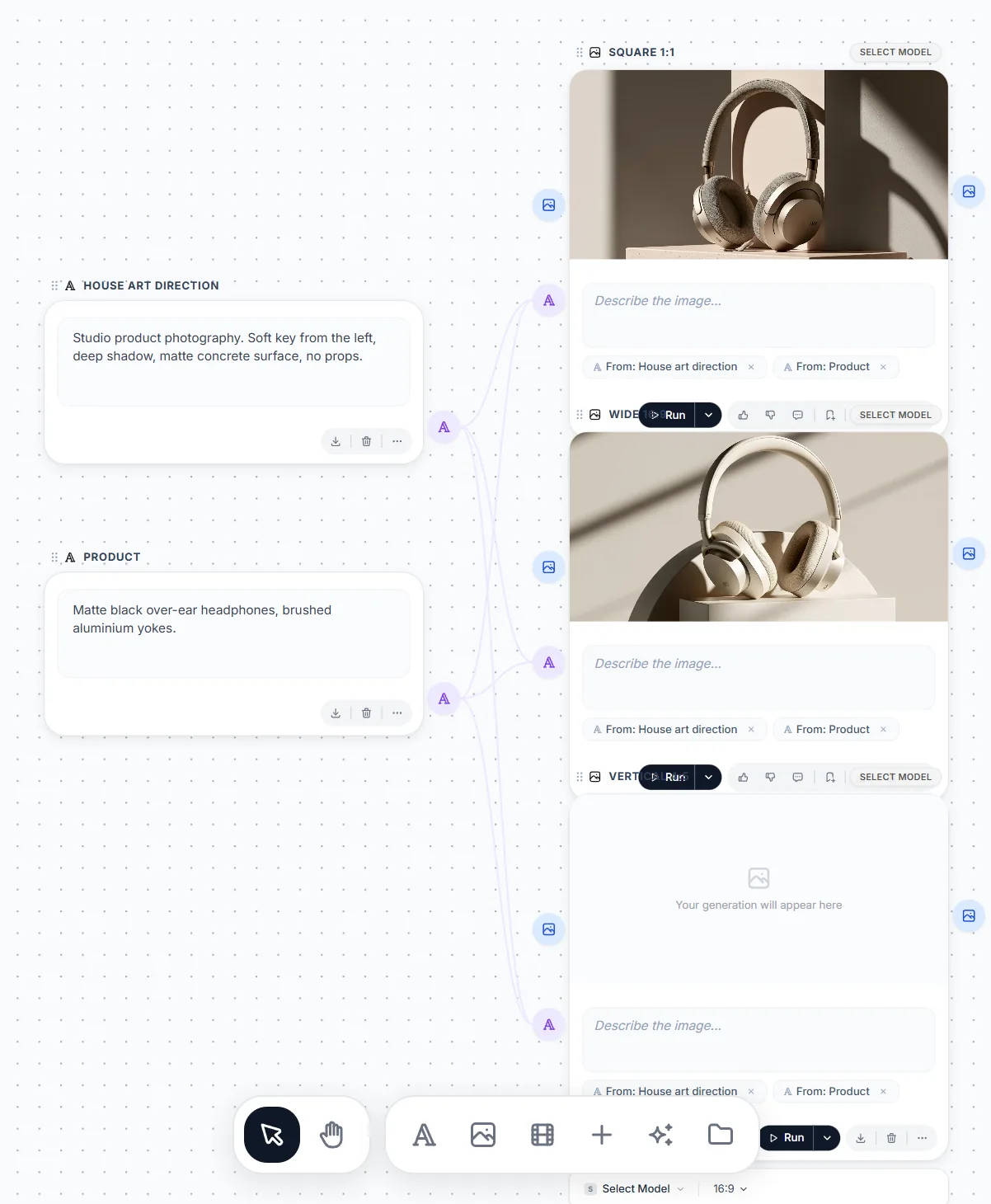
A fan-out graph in genvi's Node Studio.
Where Figma Weave is stronger
- Figma's world. Weave sits inside a company that design teams already use, and a Figma canvas link is in progress. If your files live in Figma, that matters.
- Credits that carry over. Professional keeps unused credits for three months and Max for four. For uneven months, that is kinder than a plan that resets.
- A commercial license on Free. Its Free plan lists one. That helps when you are testing a client idea.
- Team pricing per person. A shared pool of 4,500 credits per person is a simple fit for a studio.
Where genvi is stronger
- The rest of the job. Cut the result on a timeline, retouch it in layers or turn it into a 3D asset without leaving the project.
- Outside access for everyone. Personal API keys, a /api/v1 and an MCP server (ways to run genvi from other apps) are part of the product, not an Enterprise extra. See genvi from Claude, ChatGPT, Cursor and the terminal.
- An assistant on the canvas. It can build a workflow from a description, using the same actions as the toolbar.
- Bring your own keys. genvi lists this on the Free plan.

The pink facade of a palace with pigeons, in winter, as an urban sketch. Made in genvi with FLUX 2 Flash.
How the graphs differ in practice
In both tools, a step is a node and a line carries a result from one node to the next. In genvi, lines have types (text, image, video, audio, number, JSON, 3D model). A connection that makes no sense is refused, whether you draw it or the assistant adds it. You can run the whole workflow, everything after one node, or everything up to one. If a node fails, the run stops so later nodes do not spend credits on bad input.
We have not run Weave through the same checks, so we will not claim it lacks any of these. Try the same three-step job on both free plans: a prompt, an image, then a video from the image. That tells you more than a feature list.
What it costs to try both
Weave's Free plan gives 150 credits a month, which its page equates to about 375 images and five workflows. genvi's Free plan gives 150 credits. The units differ, so test it. Build the same three-step job in each, count what it used, and multiply by what you would run in a month. If you would run it daily, look at the carry-over on Weave's Professional and Max plans, and at the yearly prices on genvi's.
Also think about where you want your files to live. Weave's credits are separate from Figma's, so a Figma subscription alone does not pay for generation. In genvi, every file you generate is saved in its project and counts against one storage limit. That makes it easy to find what you made last week.
Verdict
Choose Figma Weave if you want a focused node workspace from the Figma family, like credits that carry over and expect to live in Figma. Choose genvi if you want node workflows to be one of several studios, with outside access on every plan. Also see node-based AI workflow tools compared, genvi vs Flora and genvi vs ComfyUI.
FAQ
Is Weavy the same as Figma Weave?
Yes. Figma bought Weavy and renamed it Figma Weave. weavy.ai redirects to weave.figma.com.
Does Figma Weave have a free plan?
Yes: 150 credits a month, 5 workflows and a commercial license, per its pricing page.
Can genvi import from Figma?
We have not found a Figma import in genvi, so we do not claim one.