October 22, 2026 · Updated November 3, 2026
genvi vs Magnific (formerly Freepik): compared
genvi vs Magnific, formerly Freepik, in plain words: models, tools and Magnific's November 2026 prices, with a fair look at where Magnific wins.

genvi vs Magnific (formerly Freepik) compares two different kinds of tool. Magnific is a stock-content site that added AI tools. genvi is a platform built for making media with AI from the start. Here is how they differ, with Magnific's published prices as of November 2026.
We make genvi. Magnific facts below come from magnific.com/pricing, and genvi facts come from our own product. Freepik's AI tools now live at Magnific. So if you are searching for a Freepik alternative or a Magnific alternative, this is the same comparison.
Who each one is for
Magnific is a stock-content site with AI tools for making and editing images, video and audio. Its pricing page also mentions Spaces (a workspace). It lists music, voice and sound effects, an MCP server (a way to run it from other apps), plugins, ComfyUI support and stock assets. It suits designers and marketers who already use stock images and want AI alongside.
genvi suits people who want to make something and then build on it. For example, images that become video, product shots that become ads, characters that become 3D models. It has six creation tools in one place, and no stock library.
genvi vs Magnific: feature comparison
| Feature | genvi | Magnific (formerly Freepik) |
|---|---|---|
| Stock library | No | Yes, it is a stock-content platform |
| Image generation | Yes, many models including GPT Image 2.5, Seedream v5, FLUX 2 and Recraft v4.1 | Yes, models from others and its own (Magnific One and Nano Banana Pro are cited) |
| Video generation | Yes: Veo 3.1, Seedance 2.5, Kling 4, MiniMax H3, Luma Ray 3.2 and more | Yes (Kling 2.5 is cited) |
| Audio and music | Yes, music, speech and sound effects | Yes, music, voice and sound effects |
| API | Yes, personal API keys, MCP server and command line tool | Yes, credit-based, included in individual plans |
Pricing: Magnific vs genvi
Magnific prices, as of November 2026, from magnific.com/pricing. Yearly billing saves 25 percent. A credit is what you spend each time you make something.
| Magnific plan | Price per month | Credits |
|---|---|---|
| Premium | $20 ($14.50 billed annually) | 240,000 a year |
| Premium+ | $45 ($33.75 billed annually) | 600,000 a year, plus unlimited use of listed models |
| Pro Starter | $110 ($82.50 billed annually) | 1,500,000 a year |
Magnific credits last one year with no monthly reset, and top-ups are available. Its examples include Nano Banana 2 at 2K for 75 credits and Kling 2.5 at 720p for 140 credits per five seconds.
genvi prices, as of November 2026:
| genvi plan | Price (monthly) | Credits |
|---|---|---|
| Free | $0 | 150 credits |
| Hobby | $5.99 a month ($59.99 a year) | 2,000 credits a month |
| Indie | $14.99 a month ($149.99 a year) | 5,000 credits a month |
| Pro | $49.99 a month ($499.99 a year) | 20,000 credits a month |
The two work differently. Magnific sells a year of credits at once, while genvi gives credits each month. Neither is better for everyone. A year-long pool suits uneven use, and a monthly amount suits steady use.
Where Magnific is stronger
Stock and AI together. If a project mixes licensed stock photos, vectors and templates with AI-made files, having both in one place saves time. genvi does not offer stock.
Credits that last a year. Credits do not reset every month, so a quiet month does not waste your allowance.
Unlimited use of listed models on Premium+. If you use those models a lot, that beats paying per use.
API on every individual plan. Magnific's page says the API (a way for other apps to use your account) is included in all individual plans.
Where genvi is stronger
Finishing tools. Take a generated image into the image editor for layers and retouching, then into the video editor, or turn it into a 3D model. The same account handles each step.
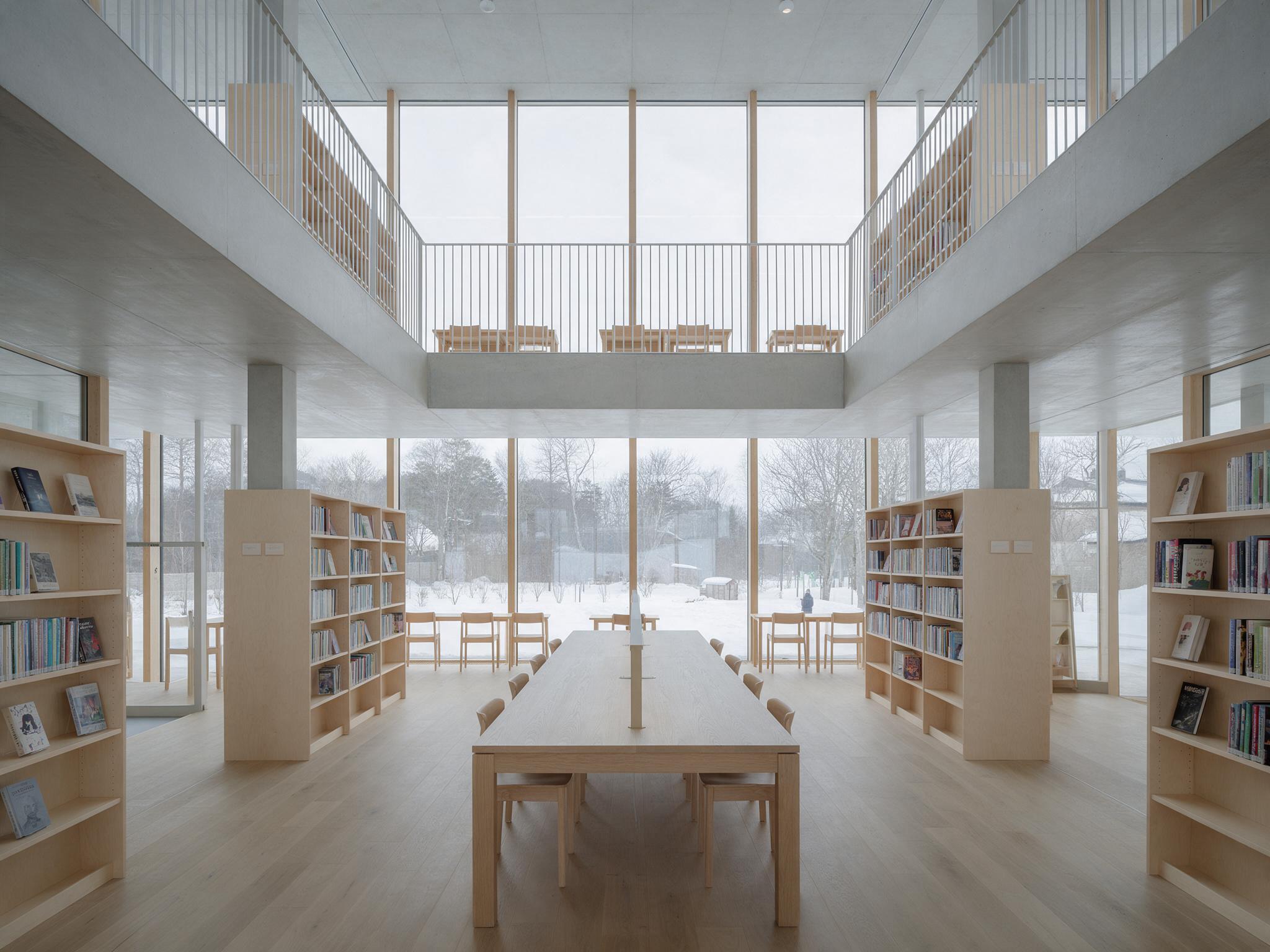
“Reading room”, made with Seedream v5 Pro in genvi.
Photo range. The beetle below is a close-up photo made from a single prompt, and the library above is an architecture shot. Trying the same prompt on several models is a normal part of working in genvi.

“Beetle”, made with GPT Image 2.5 Flare in genvi.
Keeping a look steady. The Reference Library keeps a character or product ready to call by @handle anywhere in genvi.
Workflows and an assistant. Node Studio turns a repeated process into a workflow you can run in batch, such as a set of product photos. The genvi assistant can run it for you.

“Saffron”, made with Seedream v5 Pro in genvi.
A fair way to test both
Choose one real project, such as a set of product images for a small shop. In Magnific, check whether the stock library covers the backgrounds and props you need, and what the AI tools add. In genvi, make the main image, make variations, then turn the best one into a short clip. Count the steps, the credits spent and how many separate tools you opened. Also check the licence terms. Read each service's terms for the use you plan, because the details matter.
Which should you pick?
Pick Magnific if you need stock content and AI in one subscription, or you want a year-long pool of credits. Pick genvi if your work is about making media and then building on it: image to video, to 3D, to ad. Related reading: genvi vs Krea, genvi vs OpenArt and how to choose an AI image model.
FAQ
Is Freepik the same as Magnific now?
According to Magnific's site, its AI tools are the former Freepik AI tools, and freepik.com/pricing redirects to magnific.com/pricing.
Is genvi a good Freepik alternative?
For making AI images, video, audio and 3D, yes. For stock assets, no, because genvi has none.
Does genvi have a free plan?
Yes. The Free plan includes 150 credits.
Are credits comparable between the two?
No. A credit buys a different amount on each service and for each model. Compare the price of a finished image or clip, not the credit totals.