October 3, 2026
Quick templates: a photo and a choice, no prompt to write
31 new quick templates arrive in rows on Home. Pick one, add a photo, and genvi does the rest. A new What is new carousel shows news and offers.
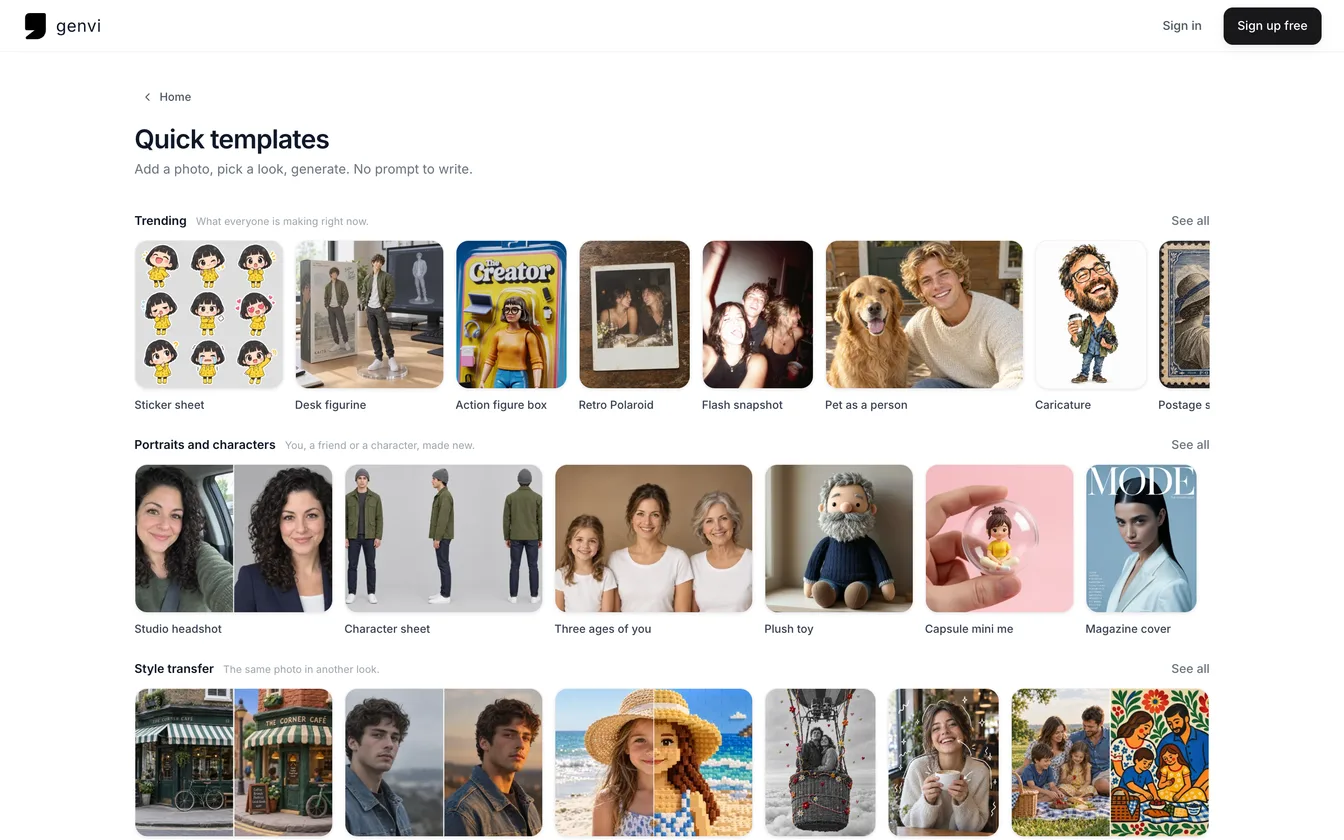
Quick templates write the prompt for you. A prompt is the text that tells the AI what to make. Pick a template such as Sticker sheet or Desk figurine, add a photo, and genvi writes the prompt. This release adds 31 new templates, 39 in all, sorted into rows on Home. It also adds a carousel that shows news and offers.
How to use a quick template
In the genvi app, Home shows quick templates in rows by category. The Chat page has a band of them, and Studios has a tile of its own. Each one leads to a page with every category.
- Pick a template. Each tile has a picture made with genvi that shows what it does. Choose See all on a row to see that category as a grid.
- Choose Add a photo, then Choose from Photos or Take a photo.
- Set the one or two choices on the form, if there are any. Every choice has a default, so most of the time you only need the photo.
- Press Generate. The button shows the price, like "Generate · about N credits".
A template starts a normal chat with the prompt it wrote and your photo. So you can keep refining the result and find it later, like any other chat. The chat sets the price and the charge.
Templates meant for a photo of a person ask you to use a photo of yourself, or of someone who has agreed to it.
What is in the rows
| Row | What it is for |
|---|---|
| Trending | What everyone is making right now |
| Portraits and characters | You, a friend or a character, made new |
| Style transfer | The same photo in another look |
| Product and photo | Product shots, backgrounds and fixes |
| Video | A photo that moves, or a scene from a sentence |
| Music and voice | A song, a jingle or a voice-over in a tap |
Examples from the new set: Sticker sheet, Desk figurine, Action figure box, Retro Polaroid, Plush toy, Magazine cover, Brick build, Change background, Room makeover, Nine camera angles, Product spin, Make it dance, Birthday song, Brand jingle and Voice-over.
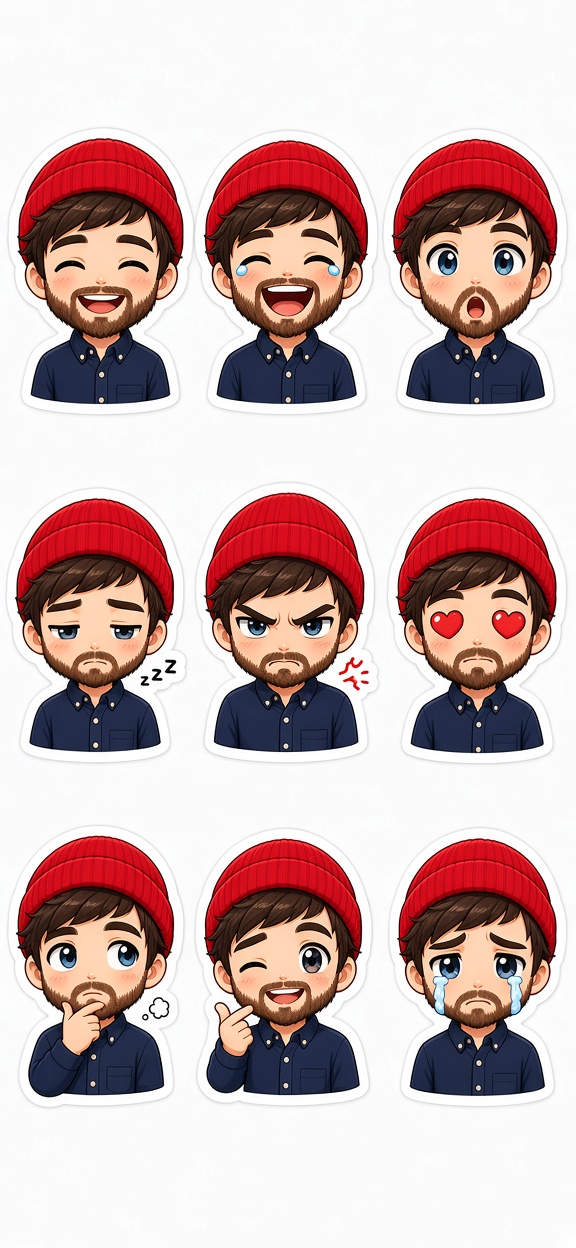
A Sticker sheet result, made with Grok Imagine 2.0. The template asks for nine small cartoon stickers in a three by three grid with thick white outlines.
The highlights carousel
At the top of the web dashboard and the app's Home there is now a What is new carousel. It is a row of cards you can swipe through. Each card is a Promotion, an Update or News. It has a title, a line or two of text and sometimes a button. Three cards are live at launch. Some buttons open a screen that only exists in the app, such as a template. On the web those cards show no button, so you never get a link that goes nowhere.
Who writes them
Our team now writes the templates and the cards in an admin panel, with a live preview, instead of in code. A template is a prompt with blanks that your choices fill in, so adding one no longer needs a new release of genvi. That lets us keep the Trending row close to what people are making this season.
Pictures on phone tiles are now saved as WebP, a smaller picture format. One tile went from 15.9 KB as a JPEG to 9.5 KB.
What it costs
A template costs the same as the chat generation behind it, at the price of the model it uses. The Generate button shows the price before you press it. Browsing is free.
Once you have made something you like, you can share it with its recipe. See Explore: share what you make with its recipe.