October 4, 2026 · Updated November 3, 2026
Explore: share what you make, with the recipe that made it
Share a picture, video, sound or 3D model to Explore with its prompt, model and settings. Anyone can press Generate similar to try it.
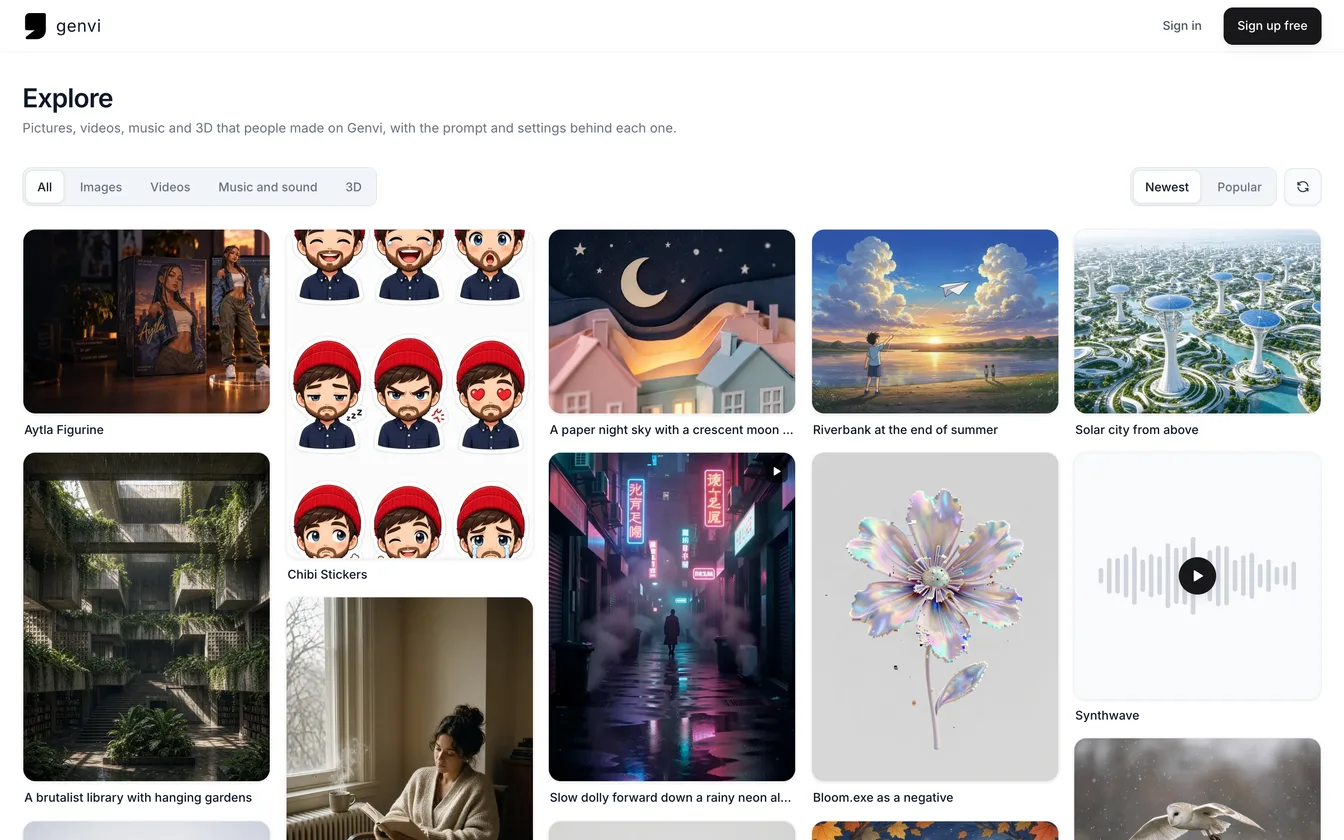
Explore is open. You can now share a picture, video, sound or 3D model to a public feed, together with its recipe. The recipe is the prompt (the words you typed), the model (the AI that made it) and the settings. If you like a result, press Generate similar and the same setup opens in your own chat, ready to run. It is a quick way to learn what a prompt really does.
Browse Explore
Explore is a grid of things other people made. Filter it by All, Images, Videos, Music and sound or 3D, and sort it by Newest or Popular. Open any post to see the result large, with its prompt, model, settings and any reference pictures the maker added. Tap the heart to like a post. Open the maker's name to see everything they shared. The same screens are in the iPhone and Android apps.
Generate similar
Every post with a recipe has a Generate similar button. It opens a chat with the kind of result, the model, the settings and the prompt already filled in. Nothing runs until you send it, so you can change the prompt first. Each post counts how many people generated from it. It counts once per person, and never counts the person who shared it.
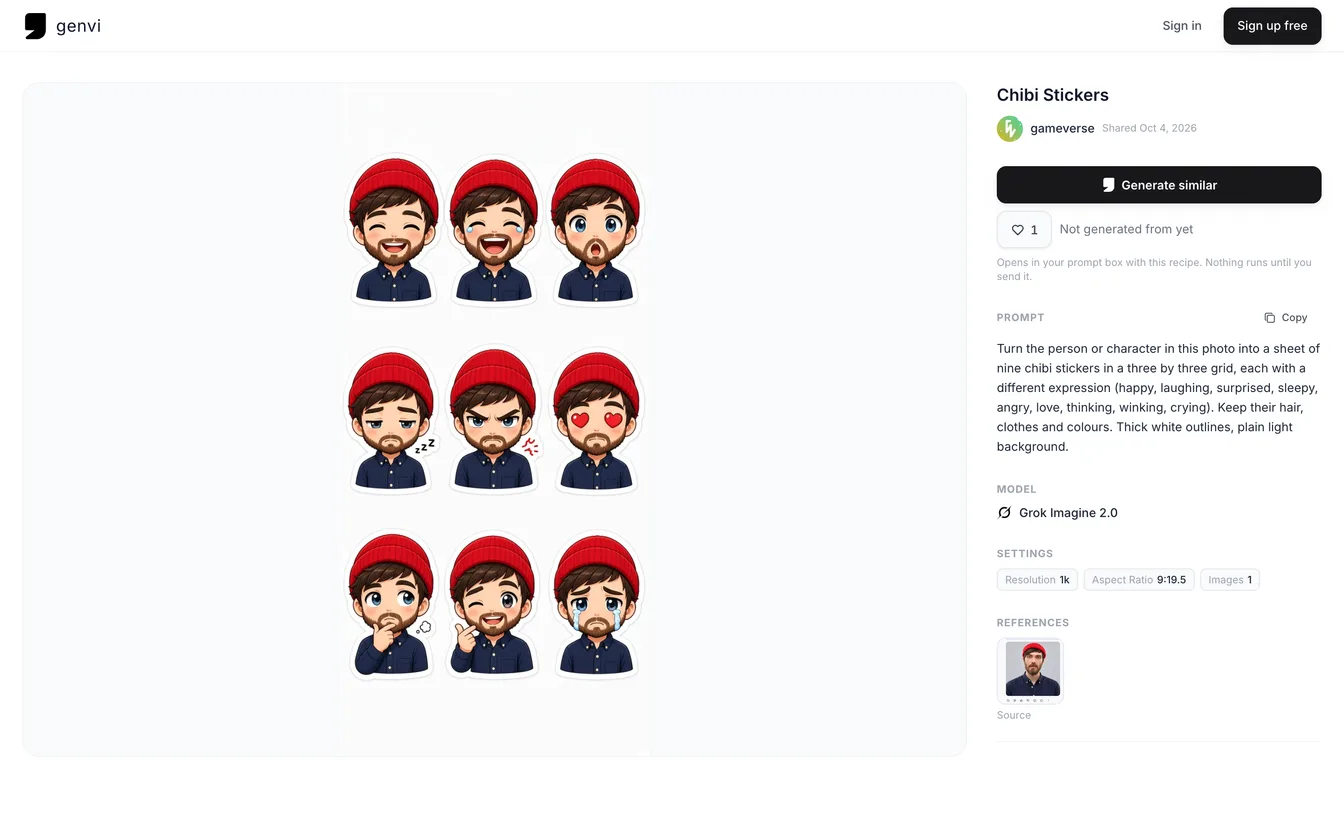
An Explore post page for a chibi sticker sheet, showing the image beside its prompt, model, settings and source reference photo, with a Generate similar button.
Share what you make with its recipe
- Open a result in a chat, or a file in your Files, and choose Share to Explore.
- Give it a title if you like. This is optional.
- Choose what to show. Show prompt is on by default. Turn it off to keep your prompt private; the model and settings still show. Include reference images adds the pictures you gave the model, for anyone to see and reuse.
- Choose Share. You get a link to your post that you can copy.
What you share is a copy. genvi copies the file, and the reference pictures if you included them, to a public place. If you delete the original from your library, your post stays. genvi reads the recipe from your own chat or generation. It never reads it from what your browser sends, so nobody can attach a recipe that is not the real one. A prompt you kept private is not stored at all.
Everything you shared is listed under Shared to Explore on your Account page. To take a post down, choose Shared to Explore on the same result and confirm Yes, unshare. The post, its likes and the copies are removed, and you can share it again any time. Deleting your account also removes your posts and their copies.
Reporting a post
Every post has a way to report it. Write why in up to 500 characters and an admin will read it. Admins can hide, show or remove any post. A post an admin hides stays visible only to its maker, with a note that says so.
What you see on day one
Explore starts with work from genvi's own creator accounts alongside yours, so the grid is not empty. Their posts carry recipes like anyone's.
What it costs
Sharing and browsing are free. Generate similar costs the same credits as any chat generation with that model. If you want to start without writing a prompt, try quick templates.