May 7, 2026
Describe a pipeline and get a canvas
A blank node canvas is the least helpful thing in the app. Now you can describe the film you want and get a wired graph to take apart.
A node canvas is powerful and completely useless when it's empty. We watched enough people open one, look at it, and close it again that we stopped blaming the people.
Six shapes to start from
- Story for a narrative sequence of scenes.
- Storyboard when you want panels first and motion later.
- Character for one figure who has to hold up across shots.
- Music video when the track is driving the edit.
- 3D when the thing at the centre is geometry.
- Custom when you'd sooner describe the structure yourself.
Parameters, if you want them
Open the parameters and you can set the visual direction, the narrative tone and pacing, how many scenes you want, and how video and audio should be treated. Ignore all of it and you get sensible defaults, which is what most people do the first few times.
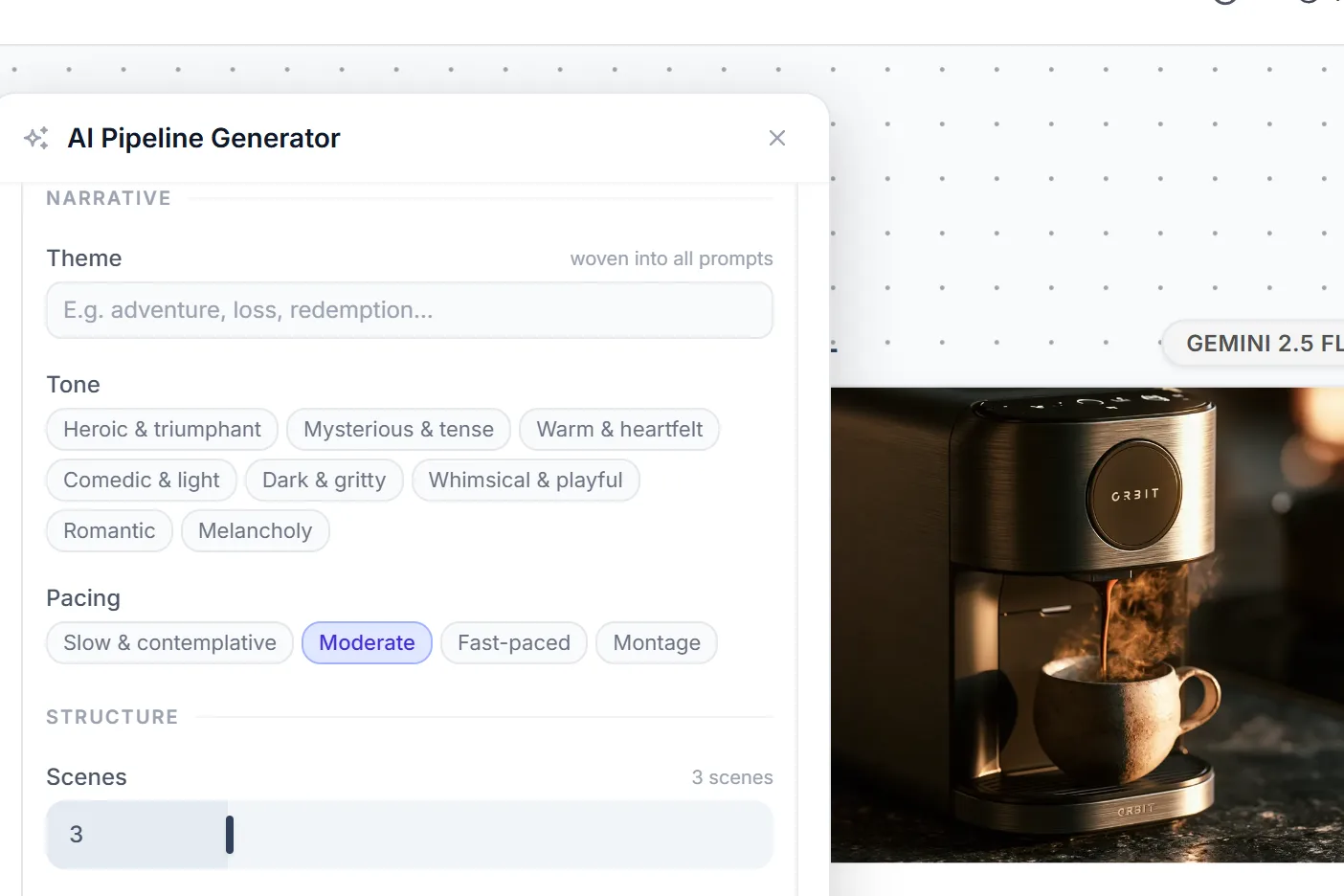
Theme, tone and pacing get woven into every prompt the generator writes for you.
What lands is yours
The output is an ordinary graph made of ordinary nodes. Rewire it, delete half of it, change one prompt and run it again. It's a starting point, not a black box that owns your project.