September 8, 2026
Inside the Genvi Agent
Ask for eleven stills on the image track and eleven stills move. Here is how the agent actually does that, in plain terms, including the parts we got wrong first.
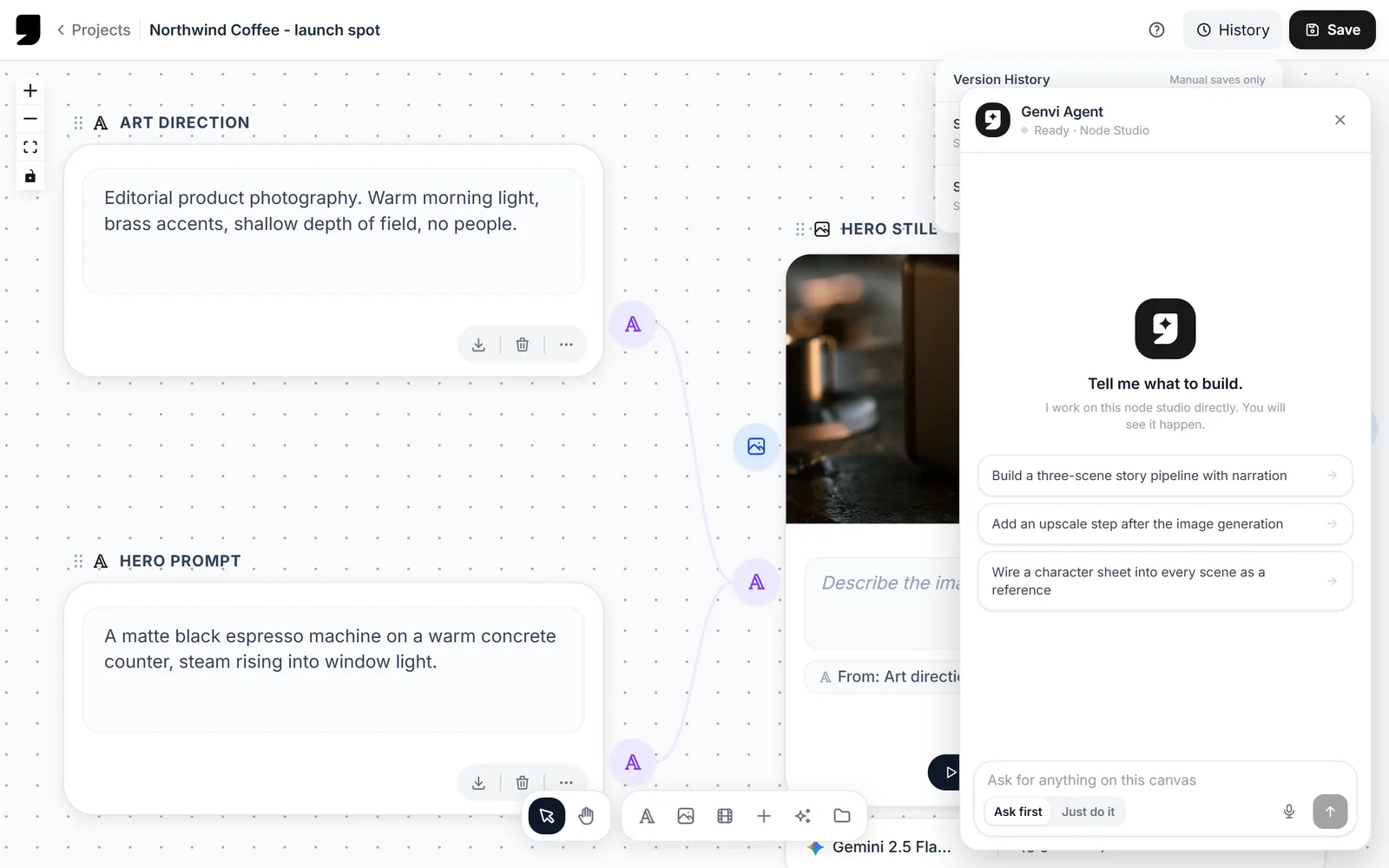
Most "AI in the product" features tell you what could be done and leave you to do it. We wanted the opposite. This is how ours works, written for someone who has never seen our code.
Three words you will need
The rest of this makes no sense without these, so they come first:
- A tool is one thing the agent is allowed to do, like "add a node" or "move a clip". It is the same operation your toolbar button performs, not a separate copy of it.
- A step is one round trip: we send the agent what your canvas looks like, it replies with a few tools to use, your browser uses them.
- A run is everything that happens from your one sentence until the agent says it is finished. A run is made of steps.
The decision everything else came from
Your canvas lives in your browser. The agent does not.
Our server keeps nothing between requests. It receives a description of your canvas and the conversation so far, decides the next few actions, and sends them back. Your browser carries them out and reports what happened. Then round again.
The obvious design would have been to keep a copy of your canvas on the server and edit that. We are glad we did not, because three useful things come free this way and we did not have to build any of them.
- Undo just works. The agent uses the same internal actions your buttons use, so its edits go into undo history, autosave and collaboration like your own. The first thing people do after the agent builds something is undo half of it. That worked on day one.
- It cannot get out of step with what you see. There is only one canvas, the one on your screen. There is no second copy to keep in agreement.
- A failed action is just information. If a tool fails, the error goes back to the agent as a result it can read, and it tries something else. Nothing crashes.
What one run looks like

A real run, not a mock-up. One sentence in, two steps out: it adds the node, then wires it up. The canvas behind the panel changes as each step lands.
That request took two steps. Longer requests get broken into pieces of work. The agent handles them one at a time. Each piece gets its own limits and its own progress line you can watch.
When breaking the work up is worth it
Breaking a request into pieces costs more steps, so it is only worth doing when the simpler approach starts failing. We wanted to know where that line is, so we tested it.
We took three requests: one containing two pieces of work, one with three, one with four. We ran each of them three times, in three different ways:
- Straight through: no plan, the agent just works until it thinks it is done.
- Plan only: it writes a plan first, but nothing makes it follow that plan afterwards.
- Plan and follow: it writes a plan, and our code walks it through the plan one piece at a time.
In the table below, "all 3" means every one of the three runs did the whole job. "1 of 3" means only one did. The step counts are how much work it took, so smaller is cheaper and faster.
| Pieces of work | Straight through | Plan only | Plan and follow |
|---|---|---|---|
| 2 | all 3, in 2.7 steps | only 2 of 3 | all 3, in 5.0 steps |
| 3 | all 3, in 2.3 steps | none of the 3 | all 3, in 7.0 steps |
| 4 | only 2 of 3 | none of the 3 | all 3, in 8.3 steps |
Read the middle column first, because it surprised us. Writing a plan and then not being made to follow it was worse than never planning at all. Once there were three pieces of work, it failed every single time.
Here is what it was actually doing. It would write a good plan, complete the first piece, and then declare itself finished while listing the remaining pieces as not done yet. It was not being dishonest. "Finished" means "this run is over", and it was using it to mean "the first piece is over".
A plan that nothing enforces is worse than no plan at all. So our code now walks the plan itself, instead of trusting the agent to remember it. And the agent only bothers planning when there are four or more pieces of work.
Below four pieces, going straight through wins. It finishes just as reliably and uses about a third of the steps, so we left it alone.
The limits, and what each one prevents
An agent with hands and no limits is a good way to lose an afternoon and a chunk of your balance. Each of these exists because something went wrong without it:
| Limit | Value | What happens when it is reached |
|---|---|---|
| Steps in a simple run | 12 | The run stops and tells you where it got to |
| Steps for one piece of work | 5 | That piece stops; the rest still run |
| Steps in a run with a plan | 24 | The whole run stops, however many pieces are left |
| Actions in a single step | 8 | The extra ones wait for the next step |
| Repeats of the same failure | 3 | We stop it retrying something that clearly will not work |
Who decides when it spends your money
By default the agent asks first. When a step contains something that deletes or costs credits, we split it at that point. Everything before it runs straight away. That action, and everything after it, waits for you.
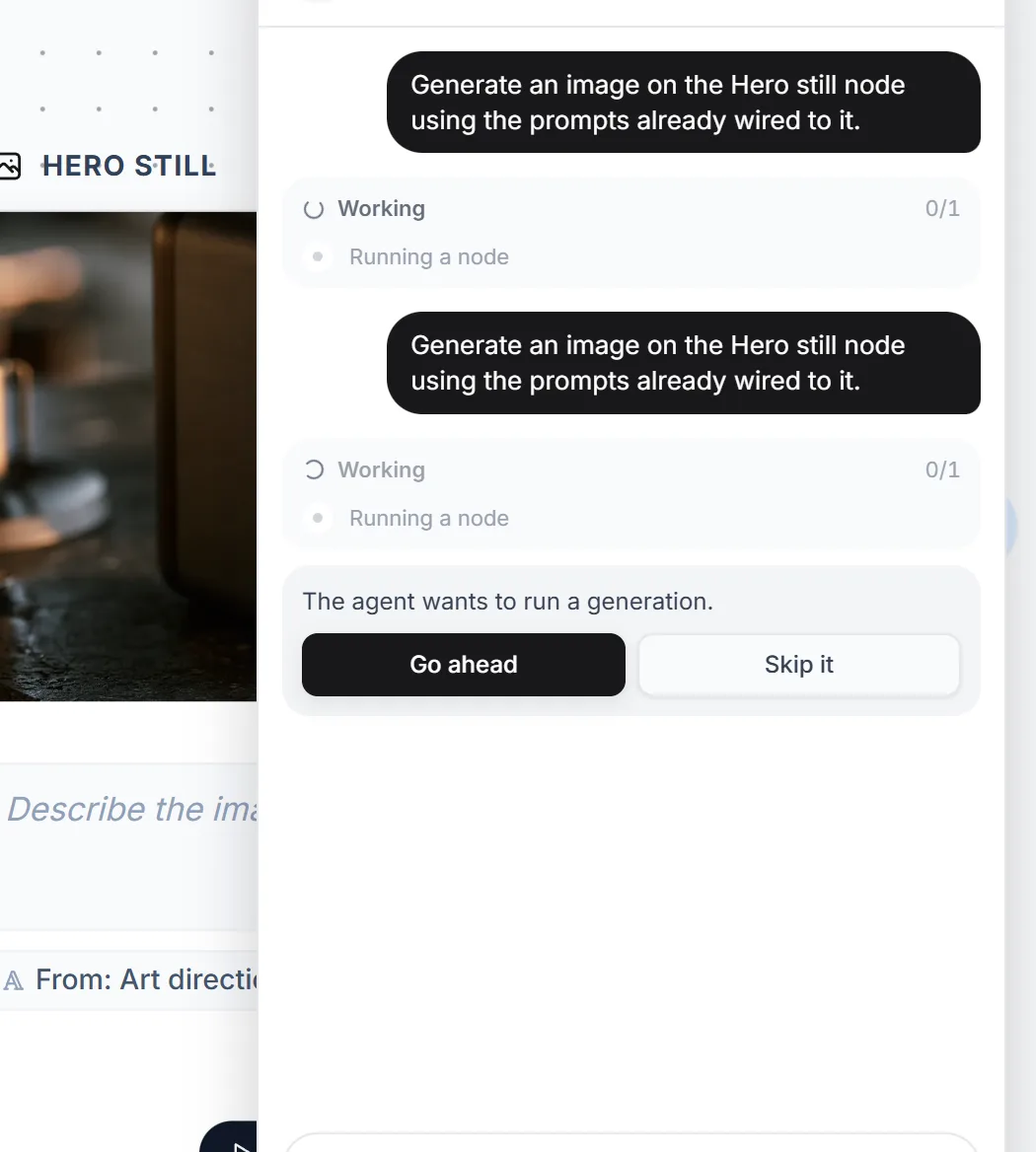
Asking before it spends anything. There is no price on this one, and that is deliberate. Running a node costs whatever its graph happens to contain. So we say we do not know, instead of guessing at zero.
That question is answered in your browser, not on our server, because it is a decision about your money and your work. Saying no is not an error either. It goes back to the agent as an ordinary result: the user declined, do not try it again, ask what they would prefer instead.
Deleting is the one thing we cannot apologise our way out of, so the instructions are blunt. Delete only what was actually asked for, and never wipe a canvas to "start fresh" unless those were the user’s own words.
Showing the price
The agent spends your credits, so the number is in front of you before, during and after:
| When | What you see |
|---|---|
| Before you approve | An estimate of what it will cost |
| While it runs | The same estimate, marked with a ~ so you know it is not final |
| When it finishes | The real figure, from the result itself |
| At the top of the run | The total so far |
The estimate is the one that matters, because it is the only number that exists at the moment you decide. It comes from one file that also records which model each paid action uses. Everything else reads the model name from there instead of keeping its own copy, so the price we quote and the model we actually call cannot drift apart. Two copies of a model name stay correct right up until somebody edits one of them. Then the price goes wrong, in the direction that costs you money.
The parts with their own write-ups
- What the agent can see. It gets a written description of your canvas, and that description has a size limit. What binds first is not speed, it is whether an object made it into the description at all.
- Caching the prompt. Splitting what we send by how often it changes, instead of by what it is about, took our cache hit rate from 34% to 90%.
- Running generations at the same time. Waiting in parallel is fine. Writing the results in whatever order they arrive builds a different video every time.
- Testing it. There is no single correct output, so we score the shape of the result, and one run is never enough to call anything.
If you are building one of these
The part worth copying is not the wording we send the model. It is the decision to let the agent drive the thing the user is already looking at, using the same actions the interface uses. Undo, autosave, sharing and permissions all come along for free, and every one of them is painful to bolt on afterwards.
The other lesson is that measuring beat reasoning about it. We would have shipped planning at two pieces of work on instinct, and it would have cost three times as much for no extra reliability.